
The product
Every screen your team will actually live in.
Not illustrations, not a concept video, these are real screens from a working workspace. Here is what a support team does in AGA CRM, in the order they do it.
- Dashboard
- Tickets
- The ticket
- Escalations
- Customers
- Calls
- Team activity
- Reports & analytics
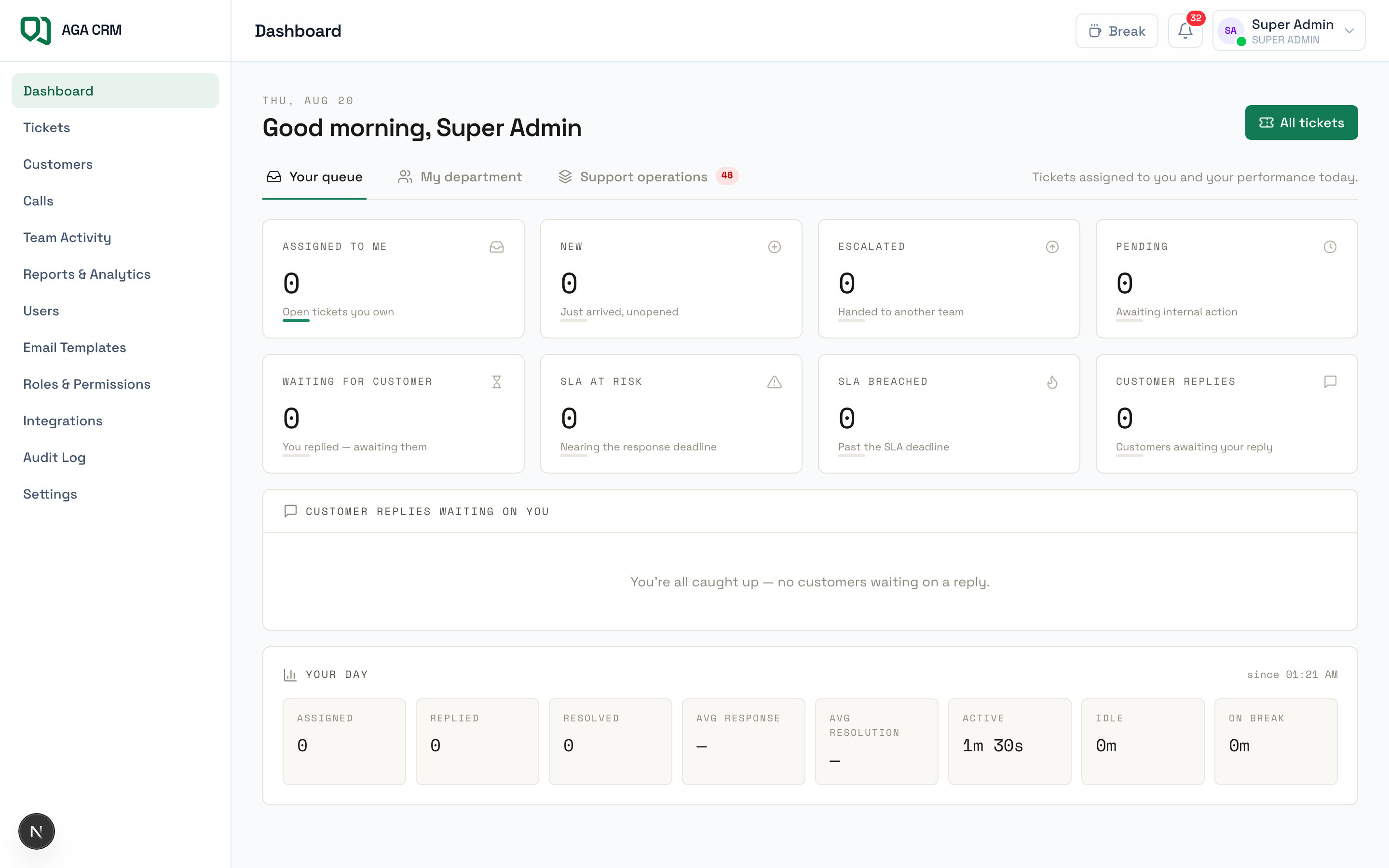
01 · Dashboard
Three dashboards, one per job, the same data, framed for the decision each person has to make.
- Agents open to their own queue and the replies waiting on them
- Team leaders see department load, presence, and a queue to hand out from
- Managers see open and closed totals, per-agent performance and SLA compliance
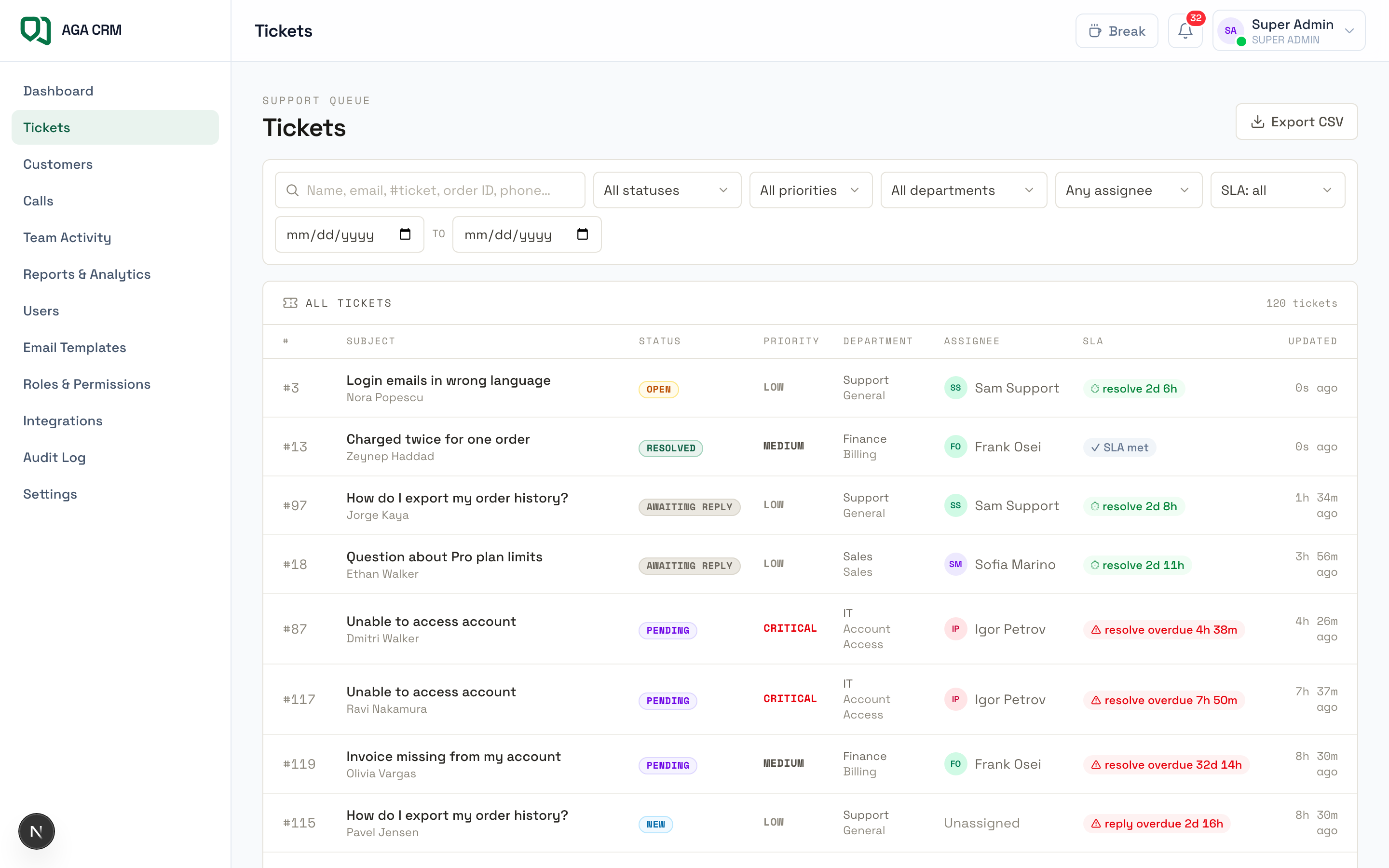
02 · Tickets
The queue everyone works from, sorted by what is actually urgent, not by what arrived last.
- Filter by status, priority, department, assignee, or SLA risk
- Live countdown timers on every row, so the clock is never a surprise
- Unassigned work sits in a claim queue agents can pull from
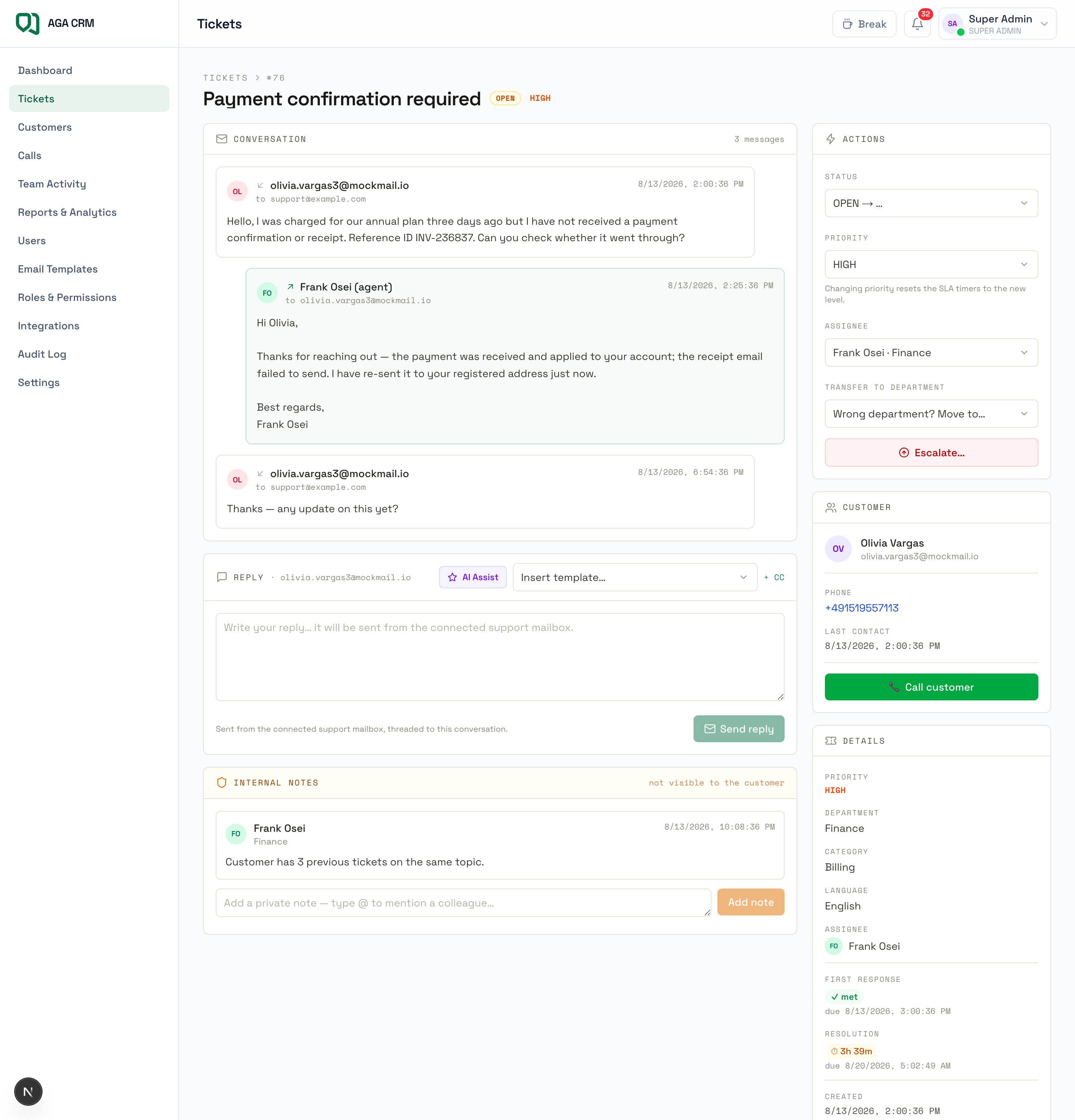
03 · The ticket
The whole conversation, the whole customer, and the tools to answer, on one screen.
- Full email thread with attachments, plus private internal notes with @-mentions
- Customer context in the sidebar: past tickets, orders, calls
- AI summary and a suggested reply you edit before anything sends
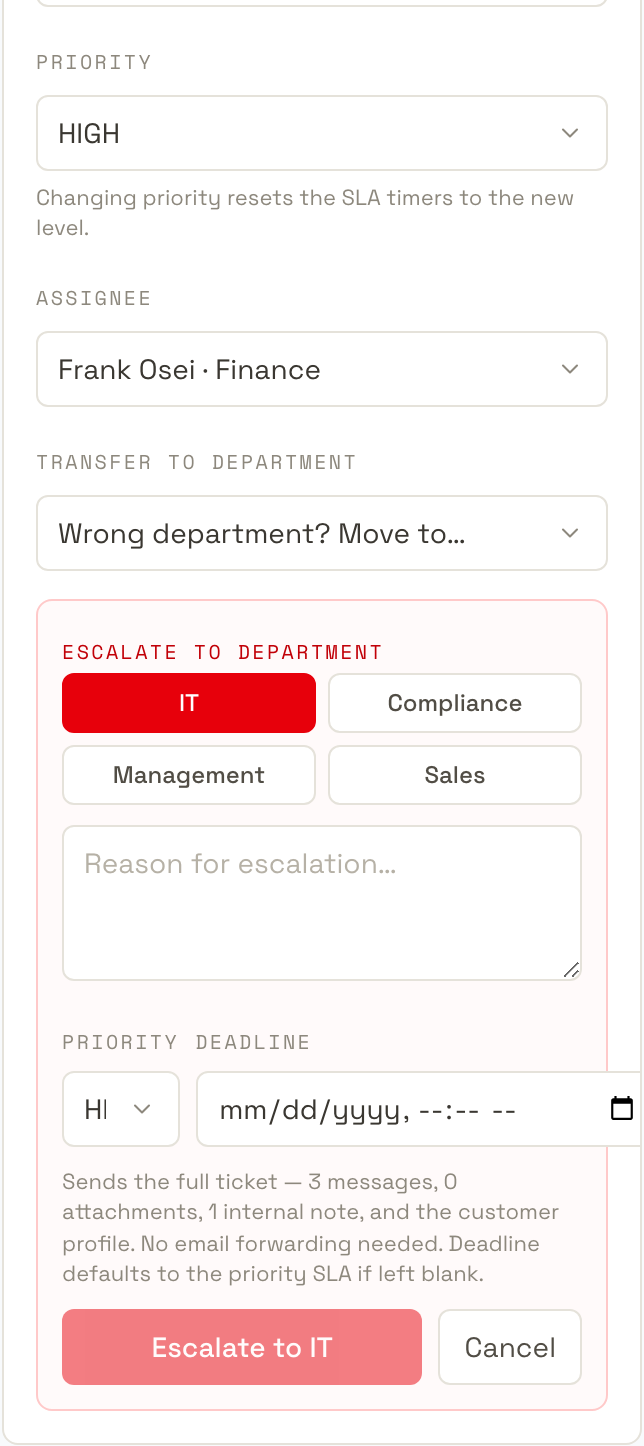
04 · Escalations
Hard cases move to the specialists who can actually close them, with everything attached.
- One click to IT, Finance, Compliance, Management or Sales
- History, profile, notes, attachments, reason and deadline all travel with it
- Accept, resolve or return, so an escalation can never quietly vanish
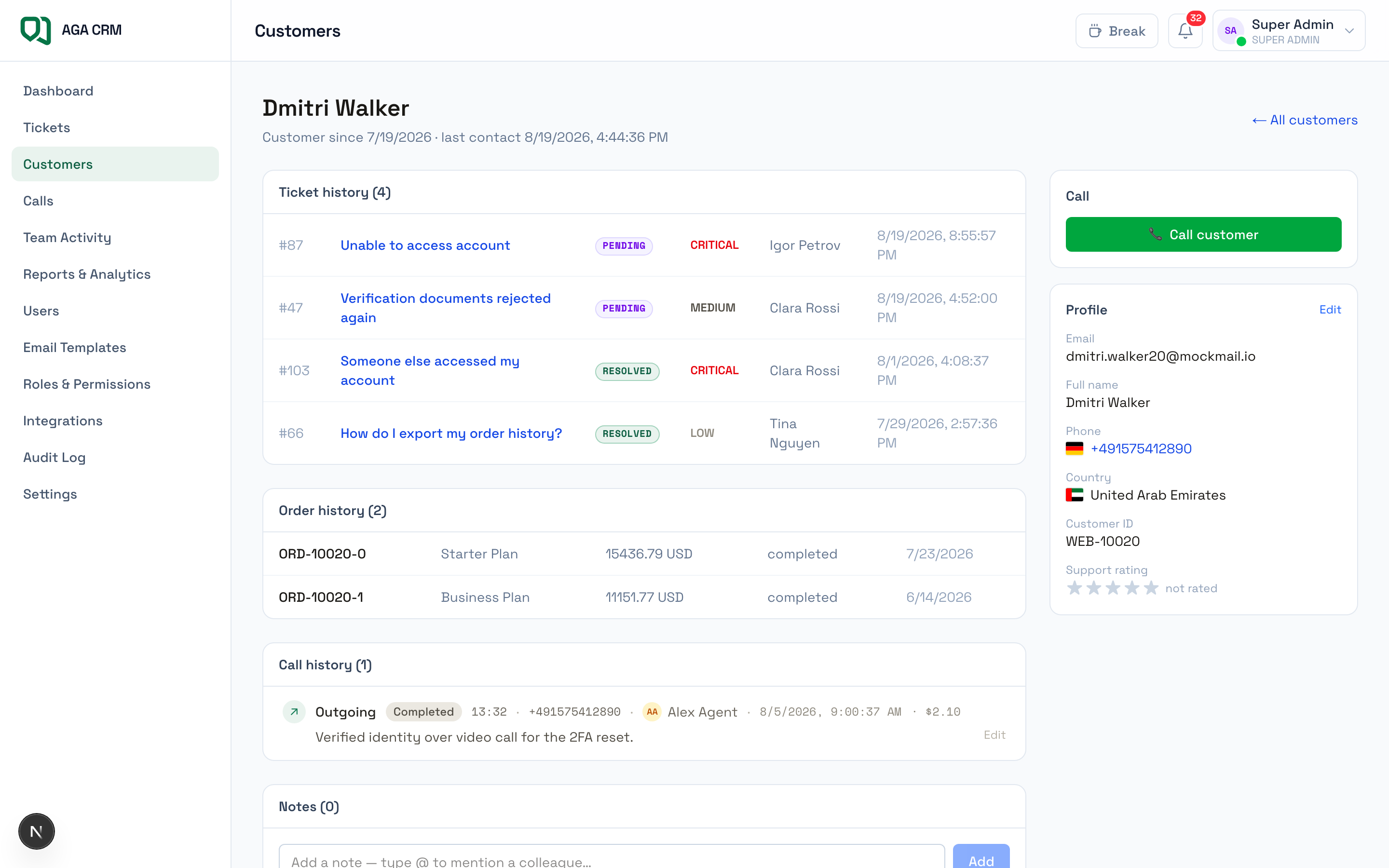
05 · Customers
One profile per customer, so an agent knows who they are talking to before they reply.
- Contact details, external customer ID, country and full order history
- Every ticket, call and note against that customer in one timeline
- Search by order ID, phone, email or name, with duplicate merge to keep it clean
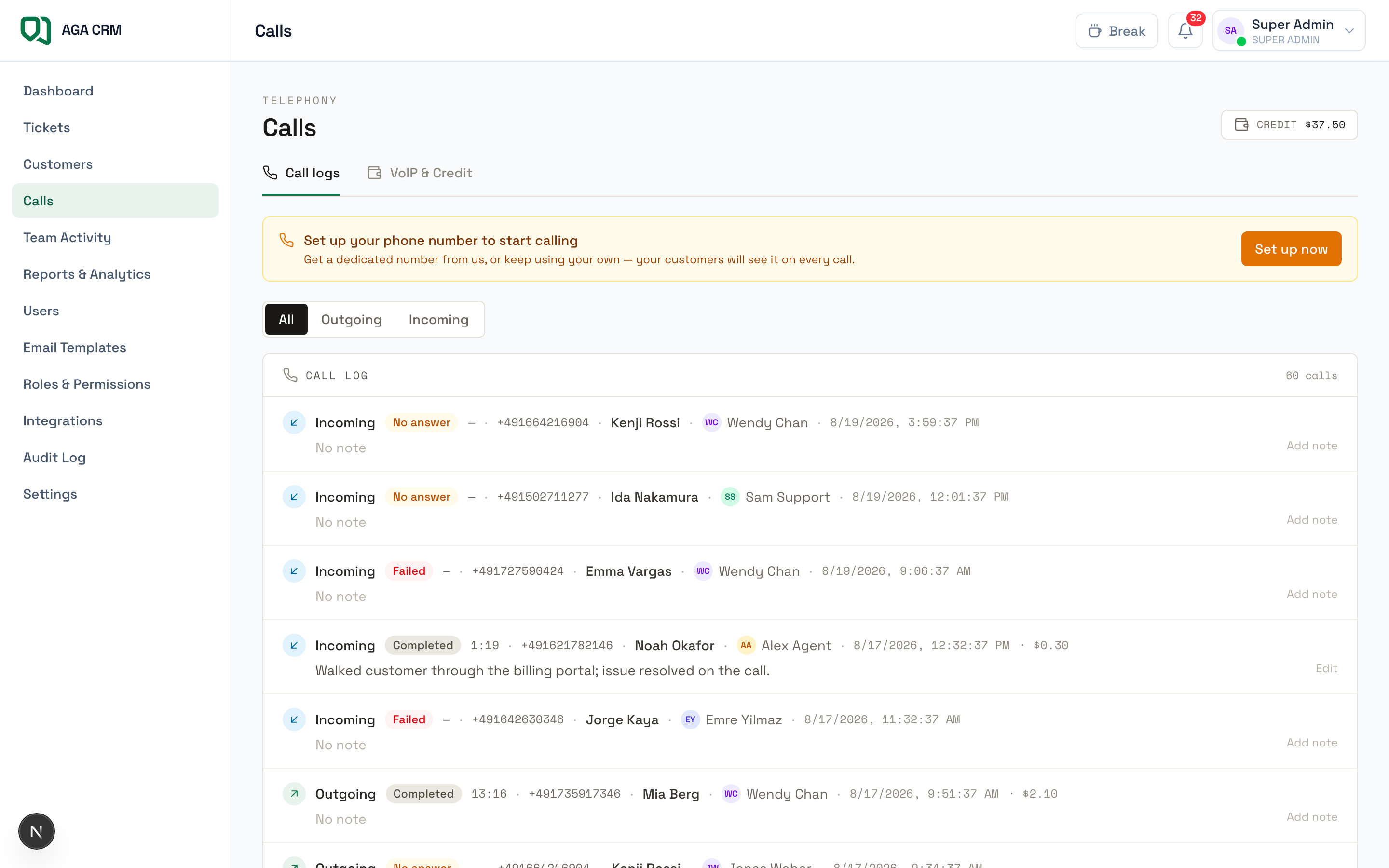
06 · Calls
Phone support inside the same tool, with the cost of every minute visible.
- Click-to-call any customer number, with recording and transcription
- Call history and wrap-up notes saved onto the customer profile
- Prepaid credit wallet, per-minute billing, and your own numbers per country
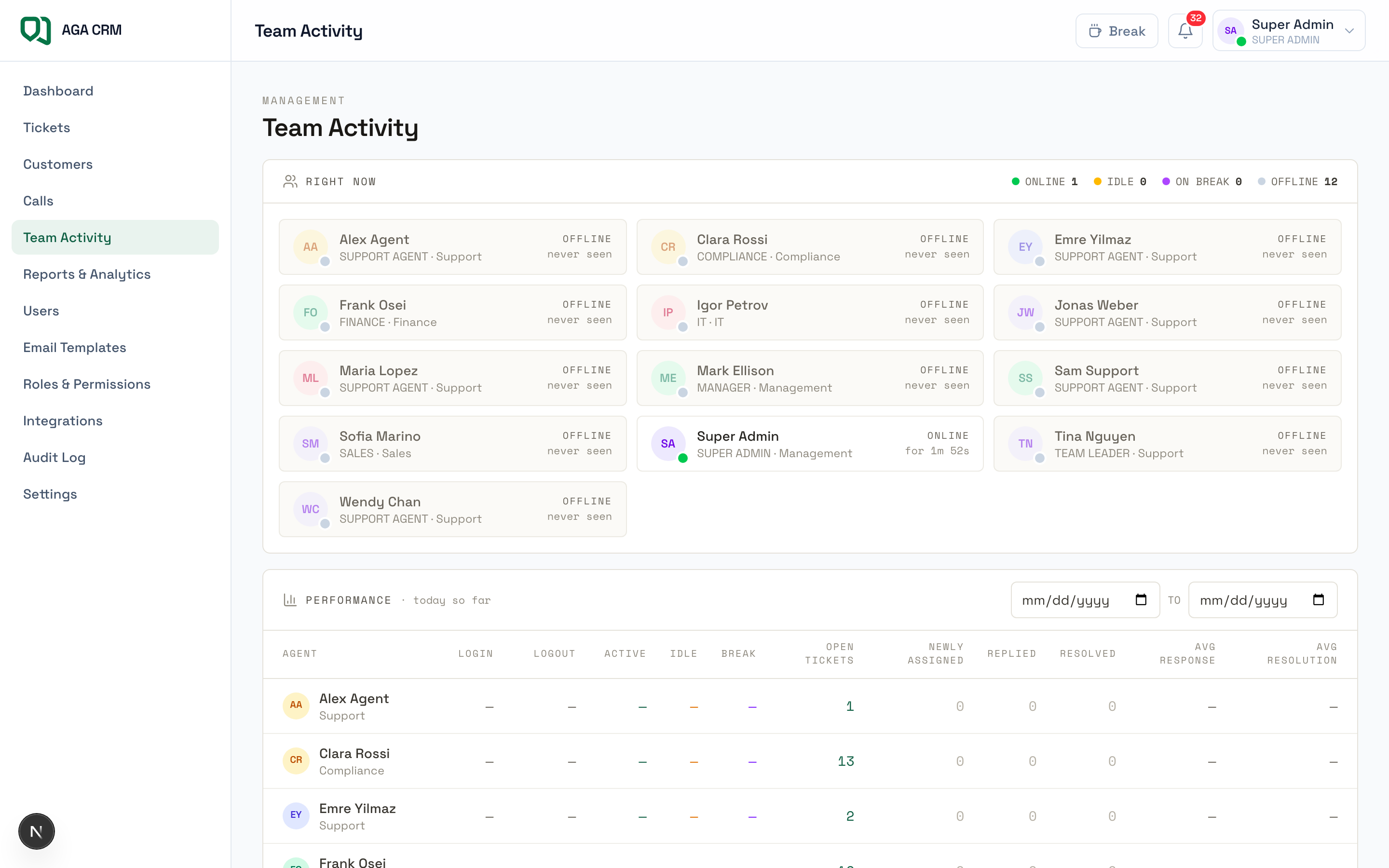
07 · Team activity
Who is available, who is buried, and who needs help, without asking anyone.
- Live presence across the team: online, idle, on break
- Workload per agent, and the queue a team leader can hand out from
- Response and resolution times per person over a window you choose
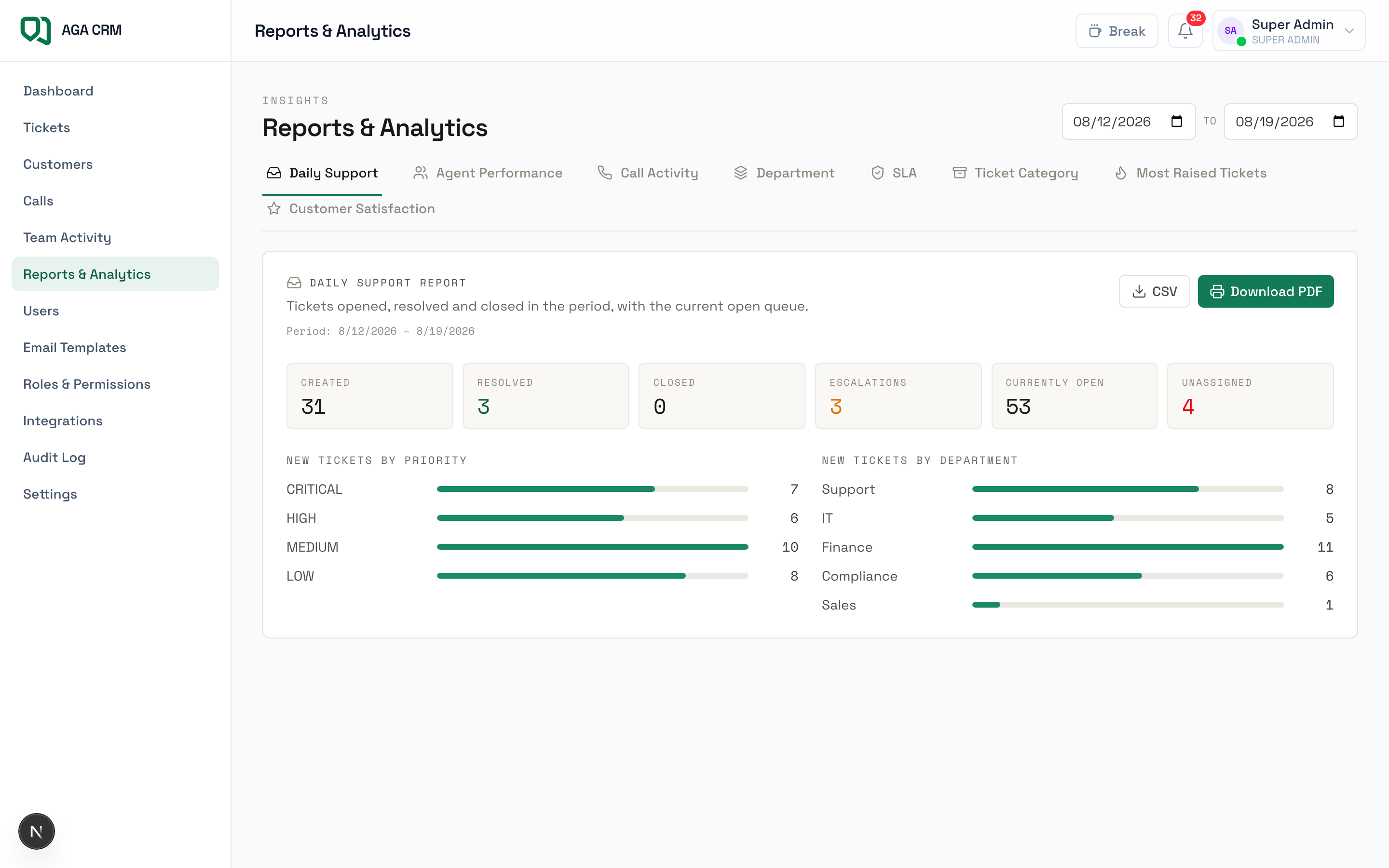
08 · Reports & analytics
Stop resolving the same problem forever, see why it keeps arriving.
- Volume, response times, SLA compliance, agent performance and most-raised issues
- Any window you like, defaulting to the one your workspace set
- CSV export and print-to-PDF for the people who want it in a deck
Admin & control
The controls behind the screens.
Everything an owner needs to run the workspace, and nothing an agent can reach by accident. Each of these sits behind a permission your admin controls.
Users
Invite staff, set their role and department, deactivate anyone who leaves.
Roles & permissions
Eight roles across seven actions, edited as a matrix. The owner role cannot be edited away.
Email templates
Reusable replies with variables, so common answers stay consistent across the team.
Integrations
Connect mailboxes, issue API keys for your website, and watch what triage passed through.
Audit log
Every ticket change, login, export and upload, filterable, and kept for your auditors.
Workspace settings
Nine groups covering SLA targets, assignment scoring, routing rules, AI, calls, email and security.